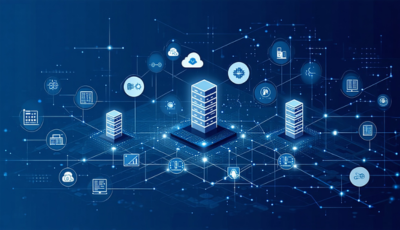
A network firewall is a security control that sits between networks, such as your office and the internet or two segments inside your network, and decides which traffic may pass. It allows or blocks connections according to rules based on addresses, ports, protocols and, in modern firewalls, applications and users. Firewalls come as hardware appliances, virtual machines and cloud services, and most business firewalls today are next-generation firewalls (NGFWs) that also inspect traffic for threats.
At a glance
- A firewall enforces rules about which connections are allowed between networks or network segments.
- Next-generation firewalls add application and user awareness, intrusion prevention, URL filtering and malware inspection.
- Firewalls are deployed at the internet edge, in data centers, between internal segments and in public clouds.
- Inspecting encrypted traffic requires TLS decryption, which significantly reduces throughput.
- Firewalls also commonly terminate site-to-site and remote-access VPNs.
What problem it solves
Without a firewall, any device on the internet could try to connect to any device on your network, and any device inside could reach any other. A firewall sets a boundary: it blocks unsolicited inbound connections, limits what internal devices can reach, and gives you a record of what connected to what.
Inside the network, firewalls are used for segmentation, so payment systems, servers, guest Wi-Fi and building devices sit in separate zones. If one zone is compromised, the attacker can’t easily move to the others. Many compliance frameworks, cyber insurers and customers expect this kind of control.
How it works
Rules and state. A firewall compares each connection against an ordered list of rules (source, destination, port, protocol, action). It tracks the state of connections so that replies to allowed outbound traffic come back in without separate rules, and unsolicited inbound traffic is dropped unless a rule allows it.
Application and user awareness. Next-generation firewalls identify the application in a connection, not just the port, so a rule can allow a business app while blocking file sharing. Integration with your directory or identity provider lets rules refer to users and groups.
Threat prevention. Intrusion prevention signatures look for exploit attempts. URL filtering, DNS security, malware scanning and sandboxing are often available as subscription add-ons. Much of this requires decrypting TLS traffic to inspect it.
VPN and NAT. Firewalls commonly provide network address translation (NAT) and terminate IPsec site-to-site tunnels and remote-access VPNs.
High availability and management. Firewalls are often deployed in pairs so one takes over if the other fails. Central management applies policy across many sites, and logs are sent to a SIEM for monitoring.
When it matters for buyers
- When appliances reach end of support. Vendors stop issuing security updates, which is an audit and insurance problem.
- When security subscriptions renew. Threat-prevention licenses are often a large share of the total cost; check what you actually use.
- When opening an office or data center. Decide whether the site needs a local firewall or can rely on SASE.
- When an audit or insurer asks about segmentation and rule reviews. Common findings include overly broad rules and flat networks.
- When moving workloads to the cloud. Cloud-native firewalls, virtual firewalls and FWaaS are all options.
Questions to ask vendors
- What throughput does the model deliver with TLS inspection and threat prevention turned on, not just plain firewalling?
- Which security features require separate subscriptions, and what happens if a subscription lapses?
- How long will this model receive software and security updates?
- How is high availability configured, and is the second unit licensed differently?
- Can we manage our on-premises, cloud and branch firewalls from one console?
- How do you integrate with our identity provider, SD-WAN and SIEM?
- Is the firewall offered as a managed service, and who handles rule changes and updates?
How it differs from FWaaS
Firewall as a service (FWaaS) delivers firewall inspection from the provider’s cloud instead of from a box at your site. Traffic from offices and users is sent to the service, which applies one policy everywhere. FWaaS suits distributed users and small branches; an on-premises firewall still makes sense where there are local servers, heavy traffic between internal segments or devices that need protection on the local network.
How it differs from UTM
Unified threat management (UTM) describes an all-in-one firewall appliance with antivirus, web filtering and IPS, typically aimed at small businesses. The line between UTM and next-generation firewalls has largely disappeared. For placement patterns, TLS inspection and HA design, see our Network Firewalls guide.
Problems this helps with
- Firewall appliances reaching end of support
- Too many old firewall rules nobody understands
- Encrypted traffic passing through without inspection
- Flat networks where one infected device can reach everything