What is Virtual Private Network (VPN)?

Definition: Virtual Private Network (VPN)

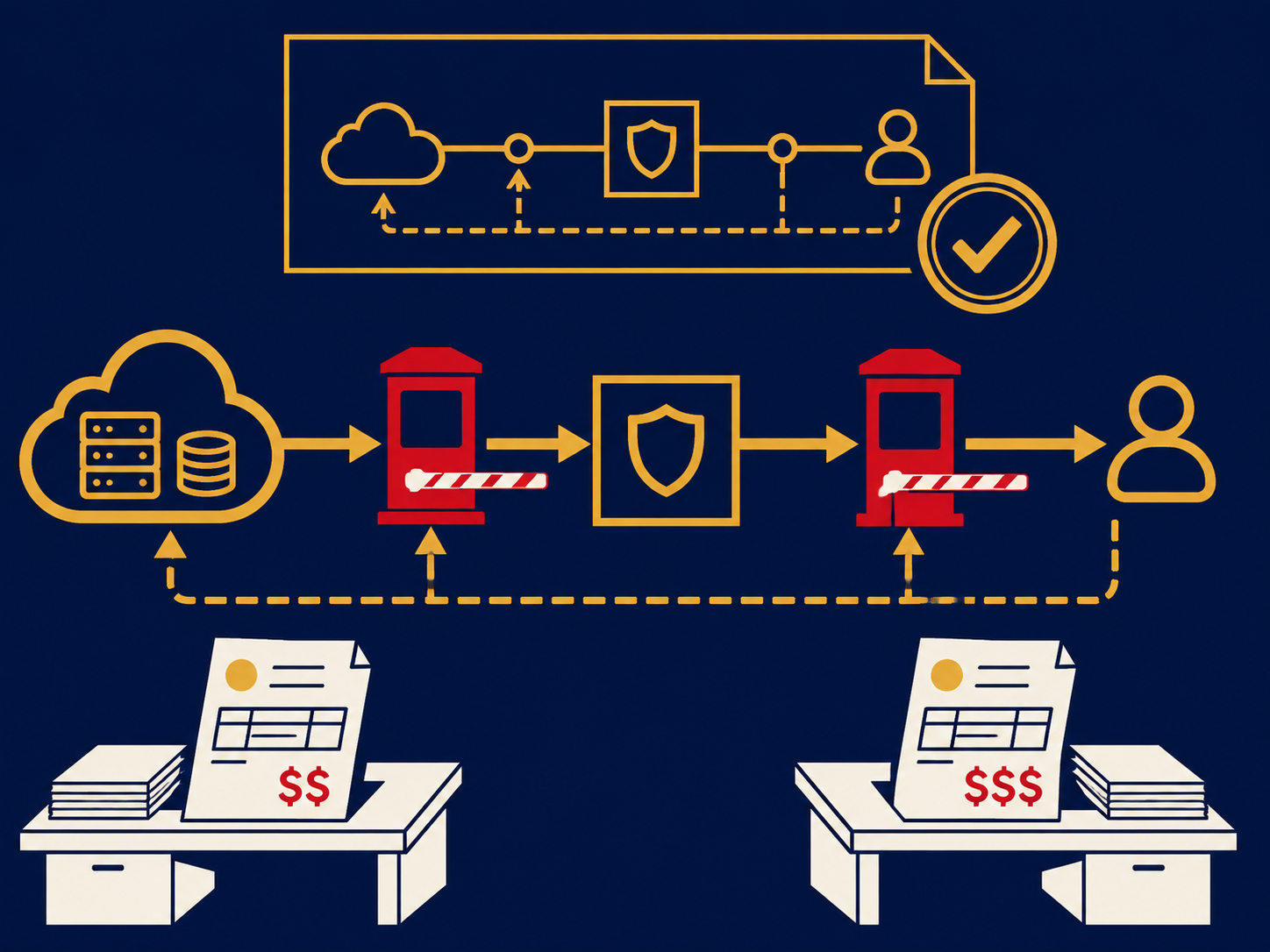
A Virtual Private Network (VPN) is a technology that encrypts network traffic and authenticates endpoints so users or entire sites can safely traverse untrusted networks—typically the public internet—as if they were on the same private LAN. If you’re asking what is Virtual Private Network, think of a VPN as a secure, identity-protected walkway between people, branches, data centers, and clouds.

Why VPN still matters (and the trap teams fall into)

Work happens everywhere. Cloud apps, home offices, contractors, and third-party tools have replaced the single office LAN. A VPN restores confidentiality and trust over the internet, keeping internal apps off the public web and protecting credentials in flight.

Here’s the trap: treating VPN as a blanket tunnel that grants broad access from any device. That approach invites lateral movement, performance bottlenecks, and support headaches. Strong programs treat VPN access as scoped, verified, and monitored—paired with device posture and least privilege—not as a catch-all.

For a candid look at why endpoint posture matters more than ever, listen to Why Most Companies Get Device Security Completely Wrong. It connects the dots between device health and safe remote access.

How a VPN works (plain-English flow)

At a high level, a VPN establishes a cryptographic tunnel and mutual trust:

  1. Identity & negotiation: The client and gateway (or two gateways) exchange supported protocols and ciphers, and prove identity via certificates, pre-shared keys, or EAP methods.
  2. Key exchange: Using protocols like IKEv2 or TLS, both sides derive shared session keys without exposing secrets on the wire.
  3. Tunnel creation: All (full-tunnel) or selected (split-tunnel) traffic is encapsulated and encrypted.
  4. Policy & routing: Access control lists (ACLs), security groups, and routes determine which subnets and apps are reachable.
  5. Monitoring: Logs, flows, and health metrics reveal usage, anomalies, and performance.

Common VPN styles (choose the right fit)

Remote-access VPN (user-to-site). A software client on a laptop/mobile connects to a gateway for workforce access. Great for employees, contractors, and admins.
Site-to-site VPN. Appliances or virtual gateways connect branches, data centers, or clouds. Useful for steady, predictable inter-site traffic.
Clientless “SSL VPN.” A browser-based portal proxies specific web apps. Good for light access to a small set of internal tools.

Rule of thumb: user-to-site for people, site-to-site for networks, and clientless when you only need a handful of web apps.

Protocols and building blocks

IPsec (with IKEv2). The long-time standard for site-to-site and many remote-access deployments. Offers strong encryption (AES-GCM), integrity, and hardware acceleration on many platforms.
OpenVPN. TLS-based, flexible, widely supported in software; favors ease of traversal through firewalls/NAT.
WireGuard. Modern, lean codebase with fast handshakes and strong cryptography (ChaCha20-Poly1305). Excellent on mobile and constrained devices.
“SSL VPN”/TLS VPN. A marketing umbrella for TLS-based remote access; can present full tunnels (L3) or application proxies (L7).

Pick based on use case, performance targets, client support, and ops comfort. For large, diverse fleets, WireGuard or IKEv2 are common sweet spots; for app-only access or quick third-party enablement, TLS-based/clientless portals are convenient.

Topologies and use cases that actually work

Branch connectivity. Use site-to-site VPNs to backhaul private traffic or to build hub-and-spoke/meshed overlays between offices, data centers, and VPCs/VNETs.
Cloud on-ramps. Terminate IPsec or TLS VPNs into cloud gateways to reach private subnets without exposing them to the internet.
Admin & break-glass. Maintain a hardened VPN path for privileged admin tasks—even if you use modern access models elsewhere.
Third-party access. Give vendors narrowly scoped access to specific apps or subnets via clientless or app-level tunnels—never a broad flat network.

Performance and reliability: what trips teams up

VPNs can be fast and invisible when engineered thoughtfully. They’re frustrating when the basics are ignored.

  • Hairpinning & hub saturation. Forcing all traffic through a central data center creates latency and cost. Prefer local internet breakout and route only private traffic through the tunnel.
  • Split vs. full tunnel. Split-tunnel improves performance by sending SaaS/internet traffic directly. Use SSE controls (web filtering, CASB, RBI) so you don’t trade speed for risk.
  • MTU/MSS black holes. Encapsulation adds overhead. Set MSS clamping and test for PMTUD quirks to avoid mysterious stalls and timeouts.
  • Crypto offload. Use gateways with hardware acceleration or scale out with anycast VIPs and multiple PoPs.
  • High availability. Build active/active or active/standby pairs, monitor tunnels, and test failover—planned and unplanned.

Security: make VPN a verification layer, not a blind trust pipe

VPNs should verify and narrow access, not grant a skeleton key.

  • Strong auth & MFA. Use certificates for devices plus phishing-resistant MFA (FIDO2/passkeys) for users. Avoid static pre-shared keys for broad populations.
  • Device posture checks. Only allow devices with disk encryption, EDR, updated OS, and UEM compliance. Fail non-compliant devices into limited remediations or virtual desktops.
  • Least privilege routing. Publish only the subnets and apps a user/role needs. Avoid “Allow 10.0.0.0/8”-style defaults.
  • Microsegmentation at the destination. Even with a VPN, rely on firewalls/SGs/ACLs at app tiers. Assume compromise and design blast-radius limits.
  • Logging and analytics. Send auth events, flows, and anomalies to SIEM; alert on impossible travel, brute-force, unusual data volumes, or new/rare user agents.
  • Key and cert hygiene. Rotate IKE and TLS keys, enforce modern ciphers (AES-GCM, ChaCha20-Poly1305), and deprecate weak suites.

Compliance and privacy

Auditors expect encryption in transit, access reviews, and evidence. Document who can create accounts, how MFA is enforced, how tunnels are scoped, and how logs are retained. For regulated data, prefer end-to-end encryption (TLS to origin after VPN) and explicit data flows that show customer data never transits unmanaged paths.

Observability: prove the experience, not just the tunnel

It isn’t enough that “the tunnel is up.” Track user-perceived metrics:

  • Auth success rate and time-to-connect.
  • Latency/jitter/loss to top apps after the tunnel comes up.
  • Gateway CPU/crypto utilization, concurrent sessions, and license headroom.
  • Incidents per 100 users and first-contact resolution from the Help Desk.

Tie VPN telemetry to APM so you can see if the slowdown is the tunnel, the WAN, or the app.

Implementation roadmap (low-drama, high-impact)

  1. Define outcomes. What matters—admin access, branch connectivity, or remote workforce? Pick KPIs (auth success, MOS for voice after tunnel, p95 latency to top apps).
  2. Choose models. Remote-access (WireGuard/IKEv2/OpenVPN), site-to-site (IPsec), or clientless for app-only. Standardize per use case.
  3. Design security. Decide on MFA, device posture, and least-privilege routes by role. Publish owners for requests and exceptions.
  4. Engineer performance. Right-size gateways, enable MSS clamping, design local breakout for SaaS, and plan HA/failover.
  5. Pilot with two cohorts. One knowledge-worker group and one admin group. Measure success, fix posture friction, and document runbooks.
  6. Roll out in waves. Automate client profiles (UEM), enforce conditional access, and sunset legacy tunnels.
  7. Operationalize. Stream logs to SIEM, create SOC playbooks, and schedule quarterly key/cipher reviews.
  8. Evolve. For app-level access or untrusted devices, introduce ZTNA alongside VPN to reduce lateral risk.

When to use VPN vs. ZTNA/SSE (straight talk)

  • Use VPN when you need broad network reach, steady site-to-site connectivity, or protocols that aren’t web-friendly (SMB admin, legacy RPC).
  • Use ZTNA when you want per-app access, granular device checks, and no flat network exposure.
  • Use SSE (SWG/CASB/RBI) to make split-tunnel safe by governing SaaS and web traffic that bypasses the VPN.

In many programs, VPN + ZTNA + SSE co-exist: VPN for a shrinking set of network-level needs; ZTNA for day-to-day app access; SSE for safe internet/SaaS.

Common pitfalls (and how to avoid them)

Flat, over-permissive access. Broad routes turn one phish into a network-wide problem. Fix: role-based routes and security groups.
Unhealthy devices on healthy tunnels. A compromised laptop with a valid token is still compromised. Fix: enforce UEM/EDR posture checks.
Single choke point. One concentrator, many users, slow everything. Fix: regional gateways, anycast, and scale-out.
Permanent third-party accounts. Vendors rarely offboard themselves. Fix: time-boxed accounts and app-level proxying.
Stale ciphers/keys. Legacy defaults linger. Fix: quarterly reviews; move to AES-GCM/ChaCha20 and modern suites.
“VPN for everything.” Tunneling all traffic raises latency and cost. Fix: split-tunnel plus SSE controls.

Metrics that show your VPN program works

  • Authentication: success rate, MFA prompts avoided via passkeys, time-to-connect.
  • Experience: p95 latency to top apps, packet loss after tunnel, VoIP/video MOS.
  • Security: % users/devices passing posture, least-privilege coverage, anomalies detected per 1,000 sessions.
  • Operations: incidents per 100 users, first-contact resolution, mean time to repair gateway failures.
  • Cost & scale: concurrent sessions vs. license, gateway CPU/throughput headroom.

Related Solutions

A VPN delivers the most value when it’s surrounded by identity, security, and network services that reduce risk and improve experience. Use Secure Service Edge (SSE) and Cloud Access Security Broker (CASB) to keep split-tunnel users safe on the open internet. Prove and investigate with Security Information and Event Management (SIEM) watched by a Security Operations Center (SOC). Enforce device health using Unified Endpoint Management (UEM), and keep the service running with Managed Network Services.

FAQs

Frequently Asked Questions

Is a VPN the same as ZTNA?
No. VPNs connect networks; ZTNA grants per-app access with stronger device checks.
Should I use split-tunnel or full-tunnel?
Prefer split-tunnel for performance, secured by SSE controls for web/SaaS; use full-tunnel only where policy requires.
Which protocol is best?
For remote access, WireGuard or IKEv2 are fast and reliable; for site-to-site, IPsec is the standard.
Do I still need MFA with certificates?
Yes—pair device certs with user MFA (ideally passkeys) to stop stolen passwords from unlocking the network.
How do I give vendors access safely?
Use clientless portals or ZTNA for specific apps, with time-boxed accounts and audit logs, not a broad network tunnel.
The Next Move Is Yours

Ready to Make Your Next IT Decision the Right One?

Book a Clarity Call today and move forward with clarity, confidence, and control.