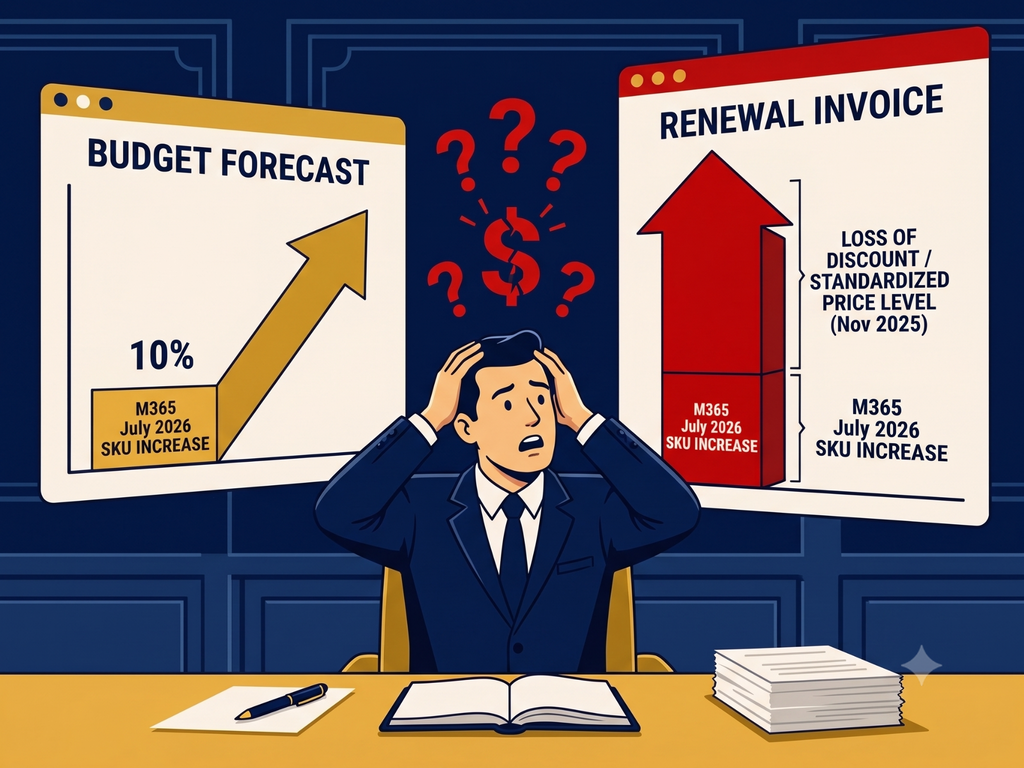
You’re paying for Microsoft 365 E5, but only using half of its capabilities, and that gap is known as e5 underutilization. When advanced security controls, compliance tools, and AI-powered productivity features sit idle, you miss out on risk reduction, operational efficiency, and a strong return on investment. For healthcare and pharmaceutical IT leaders, underuse means higher costs, fragmented security posture, and slower response to regulatory demands.
In this article, you’ll learn how to assess where your E5 licenses are underutilized, uncover gaps in security and productivity, and implement strategies to align your Microsoft 365 E5 investment with real-world needs. You’ll see how continuous monitoring and governance can turn license waste into measurable impact, keeping your organization resilient, compliant, and ready for future demands.
Understanding E5 Underuse
What Is E5 Underutilization?
E5 underutilization happens when you purchase premium Microsoft 365 E5 subscriptions but fail to deploy or adopt key features. Instead of leveraging built-in security controls, compliance solutions, and AI services, your teams stick to basic workloads like email and chat. That leaves advanced tools—Microsoft Defender XDR, Microsoft Purview data governance, Entra ID Protection, and Copilot—underused or dormant.
Key Drivers of Underuse
- Lack of visibility into license assignments and feature adoption
- Misconfigured policies and misconfigured e5 deployment
- No formal rollout or governance plan, causing inconsistent uptake
- Unclear justification for E5 upgrades, leading to limited stakeholder buy-in
- Fragmented toolset with 76 security products on average, yet 71 percent underutilized (Community Summit NA 2025)
Assessing License Usage
Audit Your Tenant
Start by scanning your Microsoft 365 tenant to establish a baseline. Use the Graph usage reports API and audit records to collect usage metrics across Exchange, Teams, SharePoint, OneDrive, Purview, Defender, and Copilot. Look for:
- Last interaction dates for each licensed user
- Feature-specific activation rates (for e.g. Conditional Access, DLP)
- Group-based license assignments versus direct assignments
Identify Inactive Licenses
Once you have raw data, pinpoint users with no service activity in the last 30–90 days. Research shows 23 percent of E5 licenses are inactive and 27 percent unassigned, contributing heavily to e5 underutilization. Plan to reclaim or reassign these seats to roles that truly need premium capabilities.
Measure Feature Adoption
Go beyond active user counts. Evaluate how many accounts have:
- Multi-factor Authentication enabled (40 percent gap)
- Conditional Access policies applied (60 percent of tenants lack them)
- Data Loss Prevention rules in use (many lack any DLP configuration)
- Defender or Sentinel alerts processed
Tracking these metrics helps you spot which E5 features are driving security value and which need more promotion or training.
Uncovering Security Gaps
Underused Security Controls
Even if users appear active, critical security tools can remain offline:
- Microsoft Defender XDR may not monitor all endpoints
- Purview compliance features often sit disabled (only 11 percent fully enabled)
- Entra ID Protection and Conditional Access go unused
Evaluating each control’s configuration and coverage is essential to close blind spots and prevent e5 security failure.
Visibility and Compliance Shortfalls
Underutilization magnifies risk exposure in regulated industries. Without end-to-end visibility, you can’t demonstrate compliance or detect threats quickly. For example, 60 percent of Teams-generated files are never accessed again, indicating a lack of lifecycle management and governance. Addressing those gaps reduces audit findings and streamlines incident response.
Optimizing Productivity Tools
Microsoft 365 Copilot Underuse
Copilot licenses cost $360 per user annually, yet initial enthusiasm fades if users don’t see clear productivity gains. To reverse that trend:
- Define use cases aligned with clinical workflows or research processes
- Track Copilot interactions across Word, Excel, PowerPoint, Outlook, Teams, OneNote, and Viva
- Provide training and templates to embed Copilot into daily tasks
Teams and SharePoint Adoption
Low adoption of SharePoint and Teams content features contributes to e5 underutilization. With 80 percent of organizations deployed on Microsoft 365 but only 21 percent reporting productivity improvements beyond email and Teams, you need:
- User-friendly interfaces for document capture and tagging
- Role-based training to highlight collaborative workflows
- Metrics on document reuse, co-authoring rates, and intranet engagement
Implementing License Management
Automate License Reclamation
Use scripts and PowerShell cmdlets—Remove-MgGroupMemberDirectoryObjectByRef for group-assigned licenses or Set-MgUserLicense for direct assignments—to scan for and remove inactive E5 seats every 60 days. Automating offboarding processes ensures that departed employees don’t leave behind costly licenses.
Role-Based Licensing
Shift to attribute-driven group assignments so that roles automatically receive the right license tier. By mapping job functions to license SKUs, you eliminate manual provisioning errors and reduce reliance on over-provisioning. That approach also supports dynamic changes in staff duties without license sprawl.
Aligning Licenses to Needs
Right-Sizing License Assignments
Not every user needs the full E5 stack. IDC reports that 37 percent of enterprise Microsoft 365 licenses are underutilized, and a mid-sized organization saved $2.1 million annually by reallocating just 12 percent of licenses. Identify light users—those who only use Outlook and Teams—and consider downgrading them to E3 or Business plans.
Matching Features to Roles
Build a licensing matrix that ties specific E5 capabilities to user responsibilities. For instance:
- Security analysts need Defender XDR and Sentinel SIEM
- Compliance officers require Purview data loss prevention and information protection
- Knowledge workers benefit from Copilot and Viva Insights
That clear mapping helps justify upgrades and ensures you activate the tools that deliver the most value.
Maximizing ROI and Impact
Cost Savings Through Optimization
Consolidate security tools and retire redundant third-party solutions. Forrester’s Total Economic Impact™ study shows up to 190 percent ROI over three years for E5, driven by tool consolidation, stronger cybersecurity, and reduced vendor complexity. Use those figures to secure budget and align finance on your optimization roadmap.
Measuring Business Outcomes
Shift your focus from seat counts to business metrics:
- Reduced incident response times
- Fewer compliance findings
- Improved clinical research turnaround
- Enhanced user satisfaction
When you tie license optimization to outcomes your stakeholders care about, defending your strategy becomes straightforward.
Ensuring Continuous Improvement
Ongoing Monitoring
Set up dashboards and alerts for license usage anomalies, feature adoption drops, and unassigned seats. Schedule quarterly reviews to track progress against optimization targets and adjust governance policies as your environment evolves.
Governance and Accountability
Assign clear ownership for license audits, security policy enforcement, and user training. Establish decision clarity—define what success looks like, what trade-offs you’ll accept, and how you’ll measure impact. That accountability prevents the cycle of reactive firefighting that drives e5 underutilization.
Conclusion
Underutilization of Microsoft 365 E5 licenses isn’t just a cost issue—it’s a risk and productivity challenge. By auditing your tenant, uncovering security and adoption gaps, automating license management, and aligning features to roles, you turn idle subscriptions into tangible business value. Continuous monitoring and governance ensure you sustain those gains and adapt to new demands in healthcare and pharmaceuticals.
Need Help With E5 Optimization?
Are you ready to eliminate e5 underutilization and maximize your Microsoft 365 E5 investment? We help you assess your environment, define the right licensing strategy, and deploy governance that sticks. Learn more in our free microsoft 365 workshop, or contact us to discover the perfect solution for your organization.