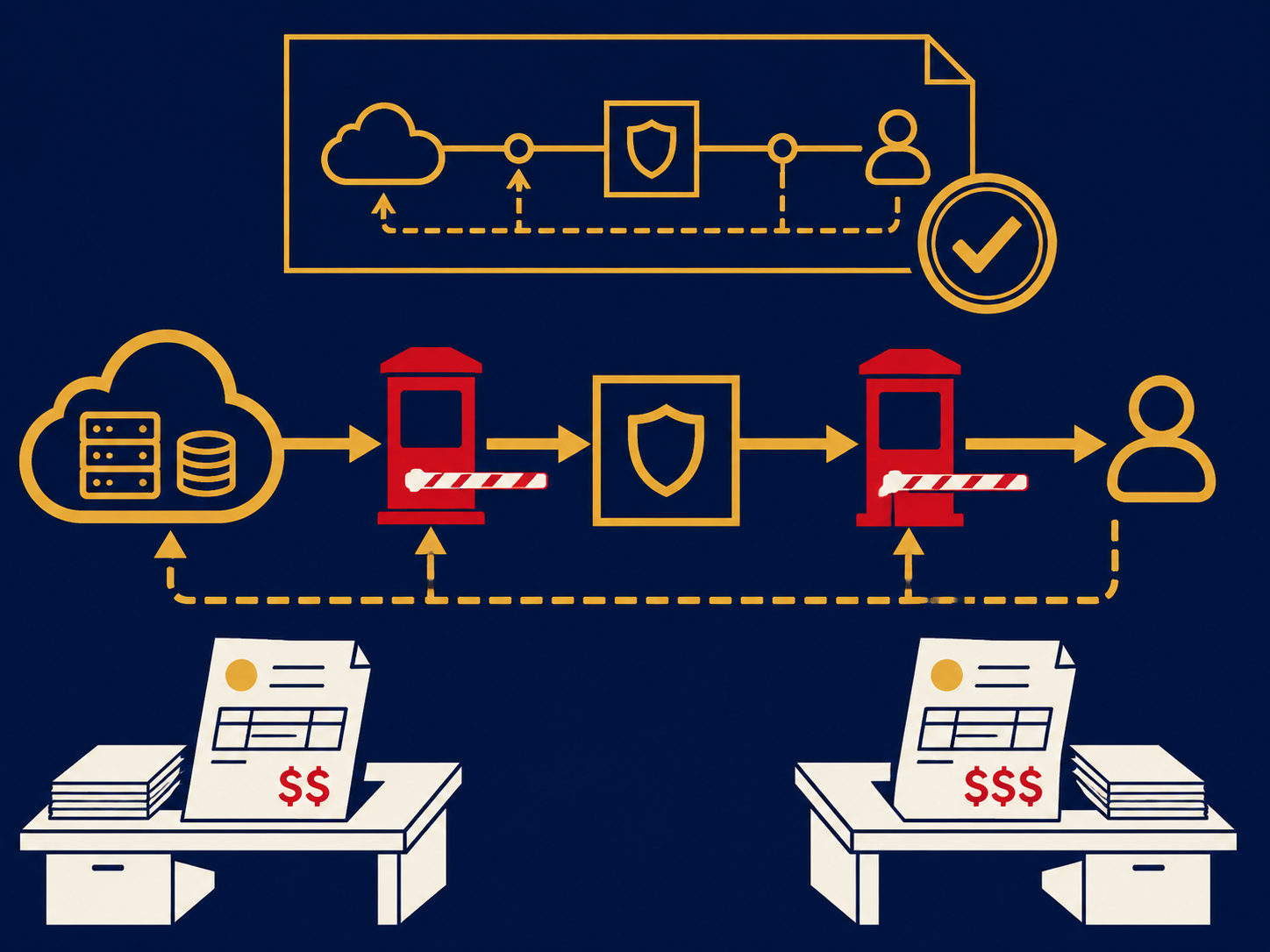
Most companies reach their cloud workloads over the internet, through a VPN. That works until traffic grows: performance varies with the route of the day, and data leaving the cloud is usually billed at the provider's internet rate. Each major cloud sells a private alternative. Amazon calls it AWS Direct Connect, Microsoft calls it Azure ExpressRoute, Google calls it Cloud Interconnect, and Oracle calls it FastConnect.
This page explains how those connections work, what you pay for, where you plug in, and how to build them so a single failure doesn't cut you off. At ITBroker.com we help businesses design and buy these links. We are paid the same whichever carrier or provider you choose, so our job is to find the fit, not to push a product.
What Is Cloud Connect?
Cloud connect is a private network connection between your network and a public cloud provider. Traffic between your offices or data center and your cloud environment travels over a dedicated circuit and the provider’s own backbone instead of the public internet. People also call it a cloud on-ramp, a direct cloud connection, or private cloud connectivity.
Each provider has its own product:
| Provider | Product | Connection Options |
|---|
| Amazon Web Services | AWS Direct Connect | Dedicated connections at 1, 10, 100 or 400 Gbps; hosted connections through AWS partners from 50 Mbps to 25 Gbps |
| Microsoft Azure | Azure ExpressRoute | Circuits through connectivity providers from 50 Mbps to 10 Gbps; ExpressRoute Direct port pairs at 10 or 100 Gbps |
| Google Cloud | Cloud Interconnect | Dedicated Interconnect on 10, 100 or 400 Gbps circuits; Partner Interconnect attachments from 50 Mbps to 50 Gbps |
| Oracle Cloud | OCI FastConnect | Ports at 1, 10 or 100 Gbps through Oracle partners; up to 400 Gbps when you colocate in a FastConnect location or use another provider |
The speeds offered at a given location vary, and providers add options over time, so confirm availability at the sites you plan to use.
How the Connection Is Built
A cloud connection has three parts:
- The cloud port. The provider’s router sits in a set of colocation facilities, usually large carrier-neutral data centers. AWS calls these Direct Connect locations; Microsoft calls them ExpressRoute peering locations.
- The cross-connect. A cross-connect is a cable inside the facility between the cloud’s port and your equipment or your carrier’s. The cloud provider issues a letter of authorization (LOA) so the facility can run it.
- The carrier circuit. A private circuit, such as an Ethernet or wavelength service, carries traffic from the facility to your office or data center. If your equipment is already in colocation in the same building, you may not need this part at all.
Once the link is up, your router and the cloud’s router exchange routes using Border Gateway Protocol (BGP), and you attach the connection to your cloud networks, such as a virtual private cloud (VPC) or an Azure virtual network.
Dedicated vs. Hosted Connections
There are two ways to get a port:
- Dedicated (direct) connections. You order a whole physical port from the cloud provider, such as a 10 Gbps AWS Direct Connect port, an ExpressRoute Direct port pair, or Google Dedicated Interconnect. You need equipment, or a carrier with equipment, in the facility. This suits large, steady traffic.
- Hosted or partner connections. A carrier or cloud exchange that already has large ports into the cloud sells you a slice of one, often from 50 Mbps up to several gigabits. AWS calls these hosted connections, Azure provider circuits, and Google Partner Interconnect. You usually don’t need equipment in the facility, and you can start smaller.
Why Choose Cloud Connect?
Core Problems Cloud Connect Solves
- Unpredictable performance. Internet paths change without notice. A private link gives a consistent path and latency for applications that talk constantly to the cloud, such as databases, file shares, voice and virtual desktops.
- High data transfer bills. Most clouds charge for data leaving them over the internet. Data transfer out over a private connection is usually billed at a lower per-gigabyte rate than the same traffic over the internet, and some options include it. For companies moving a lot of data out of the cloud, the savings can pay for the connection. See data egress fees.
- VPN limits. Internet VPN tunnels have throughput limits and depend on internet health at both ends. A private connection carries much more traffic without tunnel overhead.
- Compliance questions. Some security teams and auditors want sensitive traffic kept off the public internet. A private connection is easier to explain, though it is not encrypted by default (see below).
Who Should Consider Cloud Connect?
- Companies running production systems in the cloud that offices, plants or a data center depend on all day
- Businesses moving large amounts of data in and out of the cloud, such as backups, replication, analytics or media files
- Organizations with equipment in colocation that want to link it to cloud workloads (a hybrid setup)
- Companies using more than one cloud that want a private path between them
If your cloud use is light, mostly SaaS, or users reach it from home and branch offices over the internet, a well-designed internet connection with SD-WAN may be all you need.
Free report · PDF
Unleashing SD-WAN: Next-Gen Networking Guide
Discover how SD-WAN is transforming network infrastructure with enhanced performance, cost-efficiency, and built-in security for modern enterprises.
Get the Report→Key Features of Cloud Connect
| Feature | What to Know |
|---|
| Private and Public Routing | Reach your private cloud networks, and in some cases the provider’s public services, over the same link (AWS private and public virtual interfaces; Azure private and Microsoft peering) |
| Regional Reach | One connection can usually reach several cloud regions; Azure ExpressRoute Premium and AWS Direct Connect gateway extend that further |
| Encryption Options | MACsec is available on some high-speed dedicated ports; otherwise run an IPsec VPN over the private link if you need encryption |
| Bandwidth Changes | Hosted connections can often be resized by the partner; a dedicated port’s speed is fixed, so growth means adding ports or ordering a faster one |
| SLA | Availability SLAs usually depend on following the provider’s redundancy design |
Where You Connect: Facilities and Cloud Exchange Fabrics
Cloud on-ramps live in a fairly small set of buildings in each metro. That makes location the first design decision. Choose an on-ramp near your own sites or carrier network and, where possible, near the cloud region you use. Some options, such as ExpressRoute Local, reach only the regions in or near the same metro.
You can reach the cloud’s port in three ways:
- Your own equipment in the same facility. Colocate a router in the building and order a cross-connect to the cloud. This is the simplest and often the cheapest path when you are already there.
- A carrier circuit to the facility. A network provider runs a circuit from your site to the on-ramp. Many carriers are cloud partners and can hand you a hosted connection as part of the circuit.
- A cloud exchange fabric. Interconnection platforms run by data center operators and network-as-a-service providers let you buy one port and create virtual connections to AWS, Azure, Google, Oracle and other networks in software. This is often the fastest way to reach several clouds, or to turn up a connection for weeks rather than years. See our network as a service page and the glossary entry on software-defined cloud interconnect (SDCI).
Redundancy: Plan for Two Locations
A single connection is a single point of failure. The cloud providers say the same thing in their designs:
- AWS recommends connections at more than one Direct Connect location for critical workloads.
- Azure builds two connections into every ExpressRoute circuit, but both are at one peering location. Microsoft recommends a second circuit at a different peering location for critical workloads.
- Google publishes a 99.9% availability design (at least two connections in one metro, in separate edge availability domains) and a 99.99% design (at least four connections, two in each of two metros).
In practice, plan for two on-ramp locations, carrier paths that don’t share fiber routes or building entrances, and a fallback such as an internet VPN for less critical traffic.
Using Cloud Connect With More Than One Cloud
Many businesses run workloads in two or more clouds. Options for connecting them privately include:
- Separate connections to each cloud from your own router in colocation, which keeps you in control of routing
- A cloud exchange fabric with a virtual router, so cloud-to-cloud traffic doesn’t have to come back to your site
- Provider-built links between clouds, such as Google Cross-Cloud Interconnect or the Oracle Interconnect for Azure and for Google Cloud
Data-transfer charges differ by provider, plan and billing option: some bill each gigabyte leaving the cloud, some plans include it in the port or circuit fee, and Oracle FastConnect has no data-transfer fee. Check each provider’s current pricing and model traffic flows before choosing a design. Our multi-cloud page covers the wider strategy.
Cloud Connect vs. Internet VPN
A site-to-site VPN runs encrypted tunnels over the internet. It is quick to set up and cheap, but throughput and latency depend on the internet. Cloud connect gives a private, consistent path with lower data transfer rates, at the cost of circuits, ports and lead time. Many companies use a VPN as the backup to a private connection.
Cloud Connect vs. Data Center Interconnection
Cloud connect is about reaching public clouds. Data center interconnection covers cross-connects inside a facility, peering and exchange ports, and links between your own data centers. The two often share the same buildings and carriers, so they are frequently bought together.
Common Challenges and Misconceptions About Cloud Connect
- “A private connection is encrypted.”
Not by default. The traffic is private, not encrypted. Use MACsec where supported or run IPsec over the link if your policy requires encryption.
- “The cloud port is the whole cost.”
The cloud port is one line item of several. The carrier circuit, cross-connects and any colocation space can cost as much or more.
- “One connection is enough.”
A single link means a single fiber cut, device failure or maintenance window can cut you off. SLAs usually require redundancy.
- Underestimating lead time.
Cloud ports can be ready in days. Carrier circuits to a new building can take weeks or months, especially if construction is needed.
How to Choose the Right Cloud Connect Provider
- On-ramp locations. Which facilities and metros does the carrier or fabric reach, and are they near your cloud regions and your sites?
- Dedicated or hosted. Does the provider sell hosted connections in the speeds you need, and can it upgrade them without a new circuit?
- Clouds covered. Can one port or contract reach every cloud you use, including Oracle or smaller providers?
- Diversity. Can the carrier prove separate fiber paths and building entrances for your primary and backup links?
- Contract terms. Look at term length, upgrade rights, and whether short-term or month-to-month options exist for migrations.
- Support. Who do you call when the link drops: the carrier, the fabric, the facility or the cloud? Ask how they work together on faults.
Cloud Connect Pricing Models
Costs come from several places, and each is quoted separately:
| Cost Component | How It’s Charged |
|---|
| Cloud Port | Hourly or monthly fee for the port or hosted connection, set by speed (for example, AWS bills port hours even when no data passes) |
| Data Transfer Out | Often a per-gigabyte fee for data leaving the cloud over the link, usually lower than internet rates; some plans include it (for example, Azure’s unlimited data plans and ExpressRoute Local), and Oracle charges only for the port. Check each provider’s current billing options |
| Cross-Connect | One-time and monthly fees from the data center for each cable |
| Carrier Circuit | Monthly fee for the circuit from your site to the on-ramp, based on speed, distance and term |
| Fabric or Virtual Connection | Monthly fees for the exchange port and each virtual connection, if you use a cloud exchange |
| Colocation | Rack space and power, if you place a router in the facility |
Data coming into the clouds is generally free. Prices vary by location, speed and term, so compare the full cost of each design rather than the cloud port alone.
We work on the buyer’s side, and we are paid the same whichever provider you choose. Our process:
- Discovery Call
We learn which clouds and regions you use, how much data moves in each direction, and where your sites and data centers are.
- Design Options
We lay out the choices: dedicated or hosted, which on-ramp facilities, direct circuits or a cloud exchange, and how to build redundancy.
- Market Quotes
We collect quotes from carriers, cloud exchanges and colocation providers that reach your locations, and put them side by side as total monthly cost.
- Negotiation
We negotiate pricing, term and upgrade rights, and check diversity claims.
- Ordering and Turn-Up
We coordinate the LOA, cross-connects and carrier installs, and stay involved after the link is live.
FAQs About Cloud Connect
Q: What is the difference between AWS Direct Connect and Azure ExpressRoute?
A: They do the same job for different clouds. Direct Connect links your network to AWS; ExpressRoute links it to Azure and, through Microsoft peering, to some Microsoft public services. They differ in port speeds, pricing and how redundancy is built in, and each needs its own connection or virtual connection.
Q: Do I need equipment in a data center to use cloud connect?
A: Not always. With a hosted or partner connection, a carrier brings the connection to your office or data center over its own network. A dedicated port needs equipment, yours or your carrier’s, in the on-ramp facility.
Q: Will cloud connect lower my cloud bill?
A: It can. Data transfer out over a private connection is usually billed at a lower rate than internet traffic. Whether that covers the cost of ports and circuits depends on how much data you move out of the cloud each month.
Q: How long does it take to set up?
A: Hosted connections over an existing carrier or fabric port can be ready in days. A new dedicated port with a new carrier circuit to your site often takes several weeks or more.
Facing this decision now? We’ll tell you where you stand.
No pitch. No prep. Just answers. We're paid the same whichever vendor you choose.